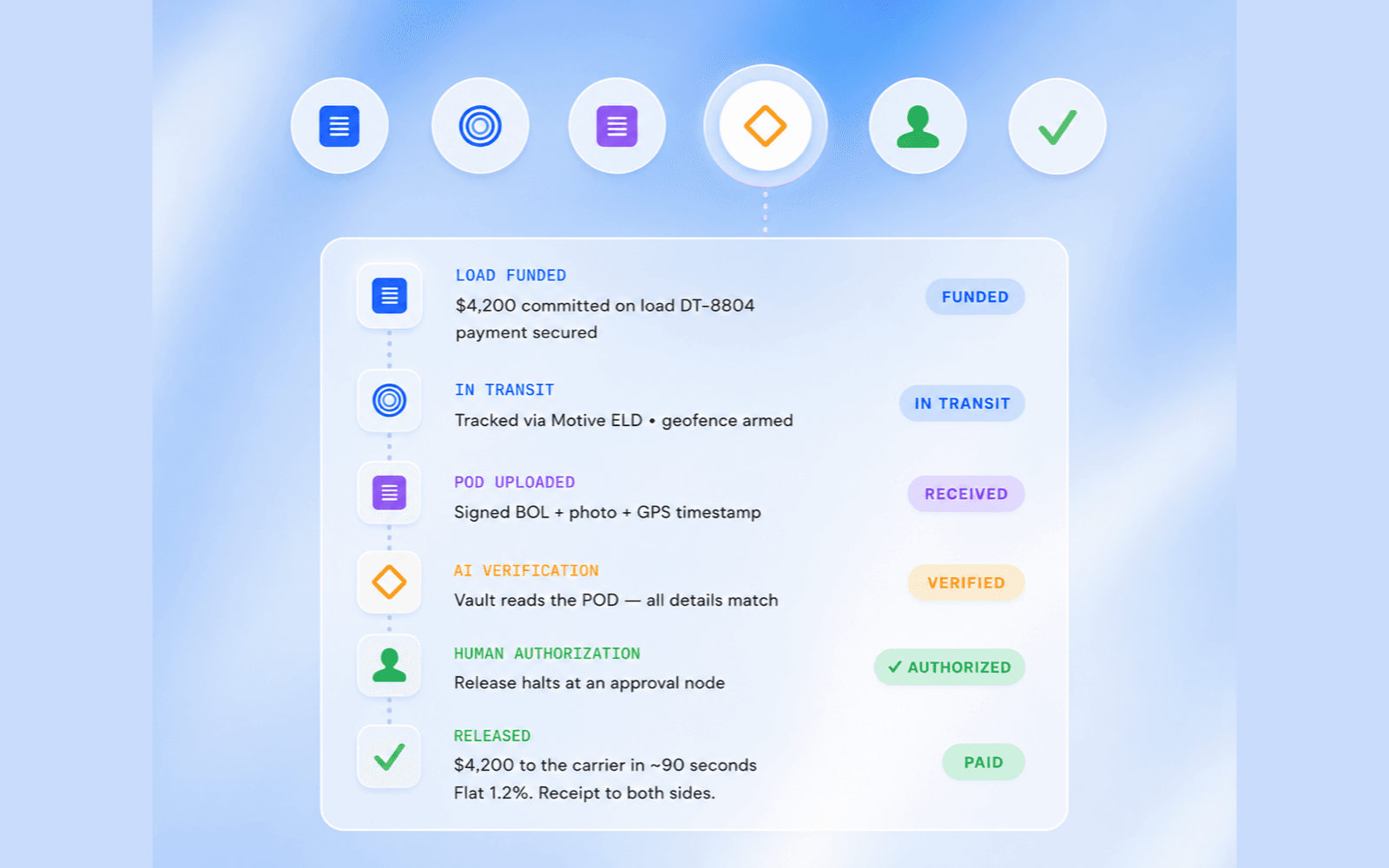

Automate the repetitive, rule-based work first, and keep judgment calls with people. The order that pays back fastest is written-down tasks, then hand-offs, then human approvals that take one click instead of a hunt for context.
That is the 80/20 of operations automation. A small number of repetitive jobs eat most of the week. A small number of judgment calls decide most of the revenue, the risk, and the customer relationship. Automation should take the first group and protect the second. This is the pattern we keep seeing across 240+ projects since 2016, for 150+ clients in 7 countries.
What is the 80/20 of operations automation?
It is a sequencing rule, not a promise that machines will take four fifths of a company's work. The useful split is between work that already follows a written rule and work that needs a person to decide.
Rule-based work is the work someone can already explain: a lead that must be logged, a reminder if nobody has followed up, an invoice chased on a set schedule, a document collected and filed, a status updated when a milestone is reached. If the input is complete and the rule is clear, the output should be the same every time.
Judgment is different: a rate outside the agreed range, a candidate who is a near miss, a customer exception, a payment that does not match the paperwork, a conversation that will affect a relationship. The quality of the decision depends on context, not on speed alone.
Teams get this backwards when they start with the most visible idea, often a fully open-ended assistant, and leave the daily plumbing untouched. The assistant then waits on missing data, incomplete hand-offs, and slow approvals. The boring order works because it removes waiting and retyping first, and only then puts intelligence on top of a process that already stands up. Human approval is not a slogan added at the end. It is a step in the process.
Which tasks are ready to automate first?
A task is ready when three things are true. There is a checklist, a template, or a "this is how we always do it" explanation. The inputs are available in a system or a consistent document, not only in someone's memory. And a wrong output can be caught by a rule or by a person before it reaches a customer, a carrier, a candidate, or a ledger.
The usual starting list is short: lead capture and first-response logging, follow-up reminders, invoice chasing, document collection and filing (including rate confirmations and bills of lading in freight), status updates, and assignment notifications.
If a task happens more than once a day and already has a written rule, it belongs here. If the team cannot write the rule down, the first job is to write it down, not to automate a guess. Sit with the people who do the work, list what they repeat in a normal day, mark the items with a written rule, and automate those first, in the order of time recovered. That ranking is a planning tool, not a published result.
Why do hand-offs slow a process down?
The slowest minutes in most operations are not the minutes of skilled work. They are the minutes when work sits waiting for a person to notice it. A form is complete, but nobody is told. A document has arrived, but it has not been filed. A shortlist is ready, but it is buried in a folder.
Routing, assignment, and "your turn" notifications remove that waiting without changing who decides. The system can see that the previous step is done, choose the right queue, and put the context in front of the next person. The person still makes the decision. They just do not have to go looking for the work. If you automate a hand-off before the underlying task is consistent, you will only route incomplete work more quickly. Once capture, filing, and status are reliable, the hand-off layer recovers time that was previously spent on chasing and checking.
In freight and logistics, this shows up between the inbound call, the trust check, the booking, and the dispatcher who must approve an exception. In staffing and recruitment, it shows up between application arrival, screening, shortlist approval, and scheduling. The industry changes. The shape of the delay does not.
Which decisions should stay with people?
Approvals should stay with people whenever money, customers, compliance, or reputation are involved. Nothing should be sent, booked, paid, hired, or published until a human says yes. The design trick is to make saying yes take a single click, with the context already assembled, instead of a long hunt through email, chat, and spreadsheets.
Context means the record, the rule that was applied, the exception that triggered the gate, and a clear recommended action. A dispatcher should see the carrier, the load, the rate, the budget, and the flag before approving a booking. A recruiter should see the requirements, the score, and the reasons before approving a shortlist. A finance lead should see the invoice and the exception before releasing a payment.
The gate has to be part of the process, not a policy that someone can switch off. Fetching the record, applying the written rule, and drafting the recommended action belong to the machine. The yes or no belongs to the person.
How should a team roll this out?
Roll it out in phases, and make each phase useful on its own before starting the next one. Map the repeated work and mark the written rules. Clean the inputs enough for a rule to run, because automation on missing data only produces confident mistakes. Automate the written-down tasks first, then add routing so completed work moves without being chased, then add approval gates for money, customers, compliance, and reputation. Only then add more ambitious agents, such as an inbound voice agent or a screening interviewer.
This is also how we would start on a Discovery engagement. Discovery starts from $750, and that fee is credited to the build if you go ahead. The first pass should name what to automate first, what should stay human, and what a fixed-price build would cover. Usage costs, such as model or telephony usage, are billed at cost.
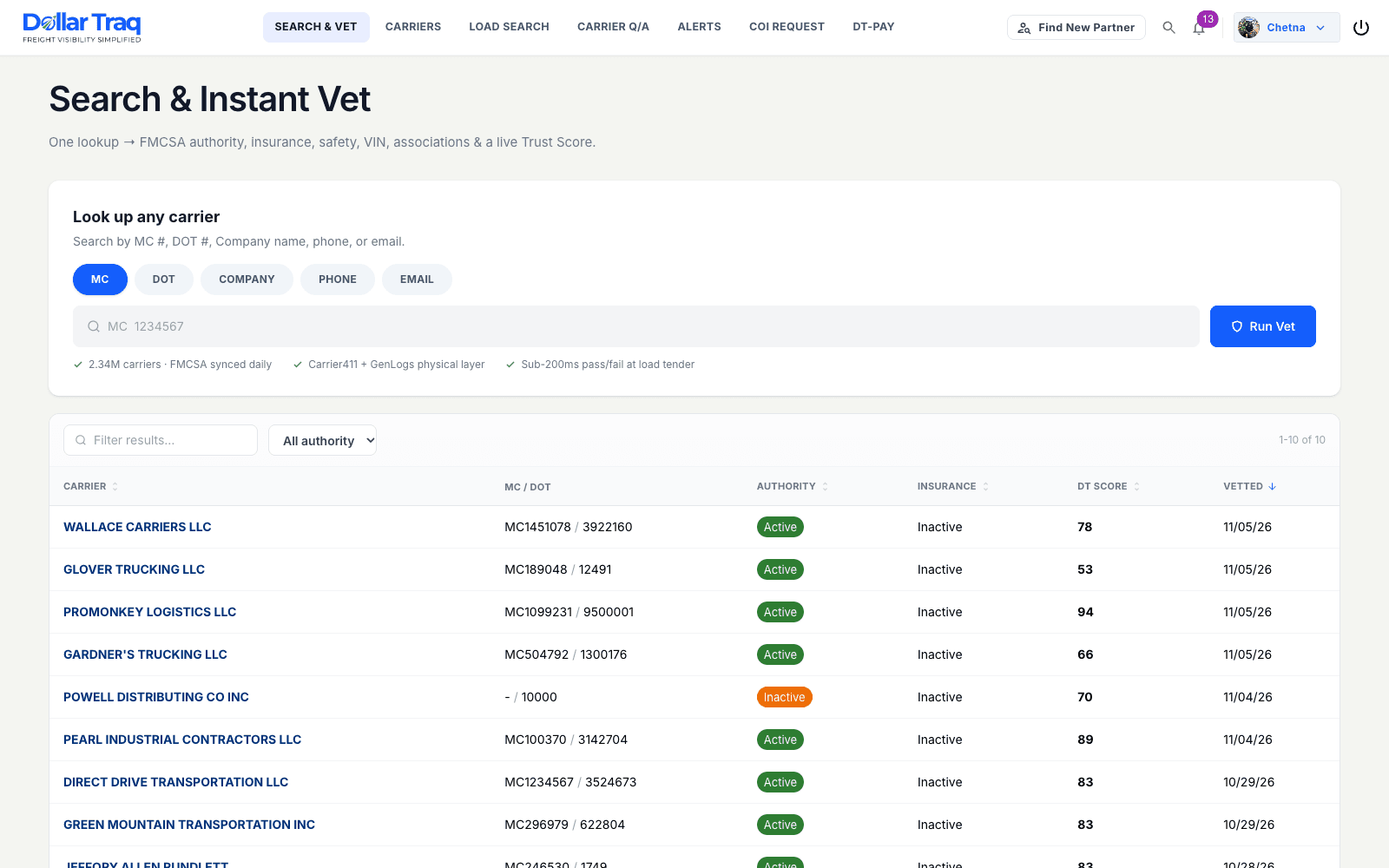
The same order shows up in work we have already published. The Dollar Traq AI operating system is a freight example of agents doing operational work with approval gates built into the process. Recruitment automation applies the same idea to screening and shortlists. A custom CRM or operations platform is often the place those rules, hand-offs, and approvals should live.
What does this typically cost?
Cost depends on the scope, not on a per-seat license. The published starting-from floors are:
Discovery: $750, credited to the build
Lead response and qualification: $2,500
Back office automation: $3,000
Document and data extraction: $4,000
AI voice agent: $5,000
Custom operations platform: $12,000
Operations retainer: $500 a month
Usage billed at cost
These are starting points, not quotes. A narrow first phase, such as document filing or lead response, can start at the lower floors. A platform that holds the workflow, the approvals, and the integrations will sit at the custom operations floor or above. See current starting-from prices, then book a call if you want that map done on your process.
Frequently asked questions
What should a company automate first in its operations? Start with work that already has a written rule, happens often, and can be checked before it reaches a customer or a ledger. Lead capture, follow-up reminders, invoice chasing, document filing, and status updates are the usual first set. Leave judgment, exceptions, and anything involving money or reputation with people.
Does operations automation replace the people who do the work today? No. The aim is to take repetitive, rule-based work off their week so they can spend time on decisions and relationships. Approvals, exceptions, and relationship conversations stay human. The system should make those human steps faster, not remove them.
How do you keep automation from making a costly mistake? Put an approval gate in the process whenever money, customers, compliance, or reputation are involved. Give the person the record, the rule, the exception, and a recommended action, then require a yes before anything is sent, booked, paid, or published. Do not make that gate a setting that can be switched off.
Can this work on top of the tools we already use? Often yes. The first phase should connect to the systems you already rely on, such as a TMS, an ATS, or a CRM, rather than forcing a rip-and-replace. If those tools cannot hold the workflow, a custom operations platform may be the better home. That decision belongs in Discovery, not in a generic recommendation.
How long does a first automation phase take? It depends on how clear the rules are, how clean the inputs are, and how many systems must be connected. A confirmed timeline should come from a scoped Discovery, not from a blanket promise.
How do we start? Book a call. We will map the repeated work, mark what is ready for a machine, mark what must stay human, and give you a fixed-price path to the first phase.
If this is the work slowing your team down, book a call. Tell us what gets repeated every day. We will show you what to hand to machines first, and what a person should keep.